
How to Get a Professional Headshot With AI (From a Few Selfies, No Studio Needed)
Your face is the first thing a recruiter, client, or potential connection sees — on LinkedIn, on your résumé, on the company team page, in the corner of every email. In the second it takes them to form an impression, a sharp, confident headshot says “this person is credible,” while a cropped party photo or an empty gray placeholder says the opposite. The photo is doing quiet, constant work on your behalf, and most people are letting it work against them.
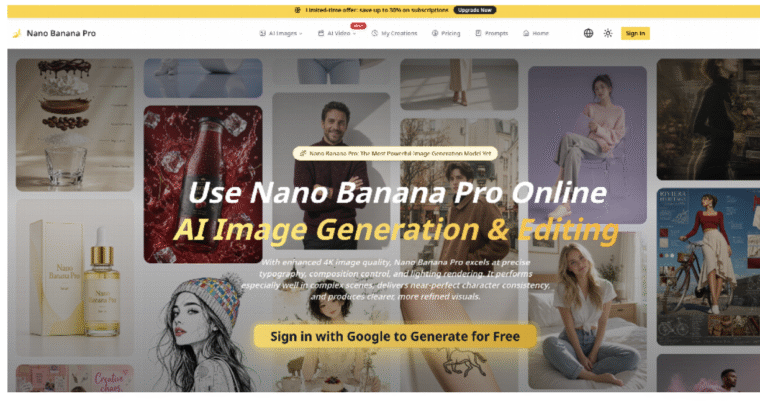
The old fix cost real money and a whole afternoon: book a photographer, pay a few hundred dollars, get one usable shot, and repeat the ordeal in two years when it’s outdated. That’s no longer necessary. With an AI image tool like Nano Banana Pro, you can turn a handful of ordinary selfies into polished, studio-quality headshots — different outfits, backgrounds, and framings — in minutes, for a fraction of the cost. This article covers what AI headshots can actually do, how to get a result that still looks like you, and the details that separate a professional portrait from an obviously fake one.
Why the headshot earns its keep
A professional photo isn’t vanity — it’s signal. People trust faces they can see clearly, and a profile with a confident, well-lit portrait gets more views, more replies, and more benefit of the doubt than one without. Recruiters skim; clients judge fast; a good headshot buys you a second look before you’ve said a word.
The catch is that “good” has a specific meaning here. It isn’t the heaviest filter or the most dramatic lighting. It’s clarity, warmth, and appropriateness — a photo that looks like the competent, approachable version of you on your best day. That’s exactly the target AI can hit consistently.
What AI headshots can actually do
The important thing to understand: AI isn’t inventing a stranger. It works from real photos of you, so the output is you — same face, same features — just placed in a professional setting with the lighting and framing of a studio shoot.
- Studio lighting without the studio. Soft, even, flattering light is what makes a portrait look professional. AI applies it to your face automatically, fixing the harsh shadows and phone-camera flatness of a normal selfie.
- Outfits and settings on demand. Business formal, smart casual, a neutral gray backdrop, a softly blurred office, an outdoor setting — generate several and see which fits your field.
- A range in one sitting. Instead of one shot you’re stuck with, you get a spread of expressions, angles, and styles to choose from — the friendly one for social, the crisp one for the résumé.
- A likeness that stays true. This is the part that matters most. Because a tool like Nano Banana builds from your actual reference photos, the result stays recognizably you — so the person who shows up to the interview matches the person on the profile.
The workflow: selfies to headshot
- Gather good source photos. A handful of recent, clear selfies in decent light, from slightly different angles, face fully visible. This step decides everything downstream — more on it below.
- Choose the style. Decide the outfit, background, and mood that fit where the photo will live and the industry you’re in.
- Generate a batch. Produce several options instead of fixating on one. Variety is the point.
- Refine. Regenerate anything with odd details, and narrow to the two or three that genuinely look like you at your best.
- Pick per platform. A slightly warmer, friendlier shot for LinkedIn and social; a cleaner, more neutral one for the résumé and formal profiles.
Get the source photos right
AI headshots live or die on what you feed them. This is the “garbage in, garbage out” step, and five minutes of care here beats any amount of fixing later.
- Good, soft light. Face a window or step outside into shade. Avoid harsh overhead light and heavy shadows.
- Face clearly visible. No sunglasses, no hat brim across your face, hair off your eyes.
- A few angles and expressions. Straight on, slight turn, neutral, gentle smile. Range in equals range out.
- Recent and honest. Use photos that look like you now, not you five years and one haircut ago.
- Decent resolution. A sharp source lets the model preserve real detail; a blurry one forces it to guess.
Style notes by context
- Match your industry. A lawyer or banker leans formal — suit, neutral background, restrained expression. A designer, coach, or founder can go warmer and more personal. The right photo fits the room you’re trying to enter.
- Keep skin natural. Ask for realistic skin texture. Over-smoothed, poreless “AI plastic” is the fastest way to look fake; a professional portrait still looks like a real human.
- Simple backgrounds win. A clean, softly blurred or neutral background keeps all the attention on your face, which is the whole point.
- Mind the framing. Head-and-shoulders, eyes in the upper third, a little space above the head. That’s what reads as a proper headshot rather than a cropped snapshot.
Staying authentic
- It has to be you. The goal is your best real self, not a different, better-looking person. If the photo sets an expectation your in-person self can’t meet, it works against you the moment you’re in the room. Enhance; don’t replace.
- Don’t chase perfection into the uncanny. A tiny asymmetry or a real smile beats a flawless, lifeless mask every time. People trust faces that look lived-in.
- Keep it current. Update the photo when your look genuinely changes. A headshot’s job is recognition, and recognition depends on it being true.
Start with your profile photo
You don’t need a plan or a budget. Take five good selfies right now — by a window, face clear, a couple of angles — generate a batch of professional versions, and swap the best one onto your LinkedIn today. Then watch whether your profile views tick up over the next couple of weeks.
A great headshot used to be a small production. Now it’s a handful of selfies and a few minutes. In a world where your face is the first thing almost everyone sees of you professionally, that’s the easiest high-return upgrade you can make.
