
DIY Label Stickers: Creative Ideas, Materials, and How to Make Your Own
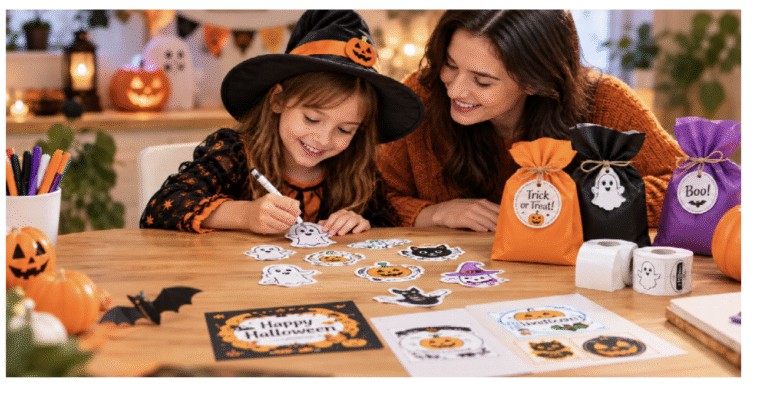
DIY label stickers are a simple way to personalize everyday items, organize your home, and give handmade products a polished finish. From pantry jars and storage boxes to gift packaging, planner accessories, and small-business products, custom labels combine creativity with practical organization.
The best part is that making your own labels does not require professional design skills or expensive printing equipment. With a clear idea, suitable label materials, and a compatible printer, you can create designs that match your personal style or business identity.
Whether you want to organize your kitchen, create personalized gifts, or prepare packaging for an online shop, this guide covers how to make DIY label stickers, which materials to choose, and how to get better results from your designs.
What Do You Need to Make DIY Label Stickers?
Before designing your labels, gather a few basic supplies. The exact materials depend on whether you want simple text labels, colorful decorative stickers, or transparent designs.
1. A Label Printer or Compatible Printer
Your printer determines which materials and printing methods are available.
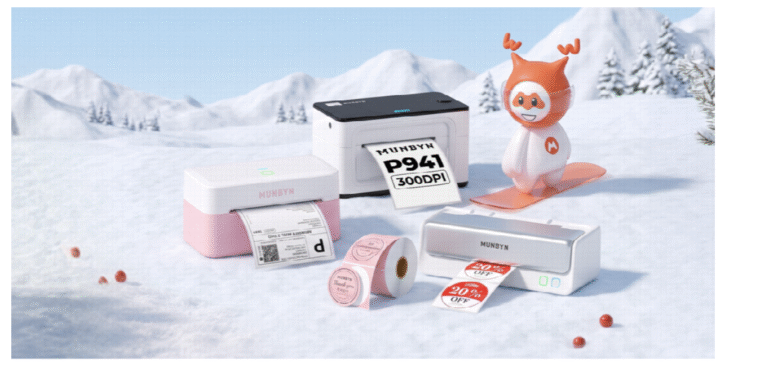
Thermal label printers use heat to produce images on compatible thermal labels, eliminating the need for ink or toner. They are particularly convenient for text-based labels, barcodes, product identification, and everyday organization.
However, direct thermal printers generally require compatible thermal media and do not print conventional full-color designs. If your project needs multiple colors, gradients, or detailed color illustrations, a compatible inkjet or laser printer may be more appropriate, depending on the label material. Before purchasing supplies, check the printer’s supported label types, dimensions, and printing method.
2. Suitable Label Materials
The label material affects appearance, adhesion, durability, and print quality.
Paper labels are useful for pantry organization, office supplies, packaging, and other indoor applications. They are often a practical choice for everyday labeling. Synthetic labels can offer better resistance to moisture, tearing, or handling, depending on the specific material and adhesive. They may be suitable for products that need a more durable finish.
Transparent labels create a clean, understated appearance because the background of the label allows the surface underneath to remain visible. They work particularly well on glass jars, bottles, and minimalist packaging.
3. Design Software or an Online Editor
You do not need advanced graphic design software to make attractive labels. A basic editor, template library, or label-design application can be enough.
Look for tools that let you adjust label dimensions, align text, add simple graphics, and preview the layout before printing. If you use barcodes or QR codes, ensure they remain sharp and appropriately sized.
4. A Computer or Smartphone
Depending on your printer and design software, you may be able to create and print labels from a computer or mobile device. Check the printer’s connectivity and software requirements to determine which workflow works best for you.
How to Make DIY Label Stickers Step by Step
Creating your own labels becomes easier when you follow a consistent process.
Step 1: Decide What Your Labels Need to Do
Start with the purpose of the label. A pantry label may need only a product name, while a label for handmade skincare packaging could require a product name, net quantity, and other relevant information. Make a quick list of the information each label must include. This helps prevent clutter and makes the design easier to read.
For example:
- Pantry: “All-Purpose Flour”
- Storage: “Winter Accessories”
- Handmade products: Product name and brand
- Shipping: Recipient information or a barcode, where appropriate
Keep the wording concise whenever possible.
Step 2: Measure the Label Surface
Measure the area where the label will be placed. Leave enough room around the edges so that the label does not overlap curves, seams, or container openings. For a curved jar, a narrower label may sit more smoothly than a wide one. For a flat storage box, a larger label may provide better visibility.
Also check your printer’s supported label widths and the dimensions of the label roll or sheet. A design that looks good on screen may not fit the actual printing area.
Step 3: Create a Simple, Readable Design
Choose a font that remains easy to read at the final label size. Decorative fonts can add personality, but they should not make essential information difficult to recognize.
A few practical design tips can improve the result:
- Use one or two complementary fonts rather than several competing styles.
- Keep sufficient space between text and the label edges.
- Use strong contrast between the text and background.
- Avoid unnecessary graphics on small labels.
- Check spelling, measurements, and product details before printing.
For a coordinated look, create a consistent template and change only the product name or other variable information.
Step 4: Select the Right Label Material
Match the material to the surface and environment. Paper labels are suitable for many dry indoor uses. Synthetic or specially coated labels may be better for applications involving frequent handling or occasional moisture, provided the printer supports them.
Transparent labels are useful when you want the design to blend into the surface rather than create a visible white rectangle.
Remember that a transparent label is not necessarily waterproof, and adhesive performance varies by product. Review the material specifications and test the label under real conditions before using it on products for sale.
Step 5: Print a Test Label
Before printing a large batch, print one sample. Check whether the text is aligned, the size is correct, and the design is readable. Look for faded areas, unwanted margins, or content that has been cut off.
For thermal printing, confirm that the media is compatible with the printer and loaded correctly. Adjust the print settings if necessary, following the manufacturer’s instructions. Testing first helps avoid wasted labels and makes it easier to correct small design problems.
Step 6: Apply the Labels Carefully
Clean and dry the application surface before attaching the label, unless the material instructions specify otherwise. Dust, oil, and moisture can interfere with adhesion.
Position the label before pressing it down firmly. Smooth it from one side to the other to reduce trapped air bubbles, particularly with transparent labels. Allow the adhesive to settle according to the manufacturer’s guidance before exposing the item to handling or moisture.
Creative DIY Label Sticker Ideas
Once you understand the basic process, you can adapt your labels to different rooms, occasions, and projects.
<PRIVATE_PERSON> Pantry and Kitchen Labels
Create matching labels for flour, sugar, rice, coffee, spices, and other pantry staples. Use a consistent font and layout to make the shelves look organized without overwhelming the space.
Transparent labels can work especially well on clear glass jars, allowing the contents to remain visible while adding a neat, understated design.
Storage and Home Organization Labels
Label baskets, drawers, document boxes, toy bins, and seasonal storage containers. For areas shared by family members, use large, easy-to-read wording.
You can also create color-coded categories for different rooms or types of belongings. If color printing is unavailable, simple text labels with consistent formatting can achieve the same organizational goal.
Personalized Gift Labels
Custom labels can make homemade cookies, candles, soaps, and gift boxes feel more personal. Add a recipient’s name, a short message, or the occasion to create a distinctive finishing touch. For gifts that may be handled frequently, choose a label material with suitable adhesion and durability.
Small-Business Product Labels
Small businesses can use DIY labels to create a more consistent brand presentation across packaging, inventory, and shipping materials.
A thermal label printer can print product identifiers, order labels, barcodes, and other text-based information. For colorful branding or intricate illustrations, choose a printing method that supports the required design. Before selling labeled products, check the applicable labeling requirements for your product category and market.
Planner and Craft Labels
Use smaller labels for calendars, notebooks, scrapbooks, and craft storage. Simple icons, short words, and compact designs can help keep these projects visually organized. For frequently updated systems, create reusable templates so you can print new labels without starting the design from scratch.
How to Choose Labels for Your DIY Projects
The right label depends on more than its appearance. Consider the following factors before purchasing.
| Factor | What to consider |
| Printer compatibility | Confirm the label works with your printer’s printing technology. |
| Label size | Match the dimensions to your design and application surface. |
| Material | Choose paper, synthetic, or transparent labels according to the project. |
| Adhesive | Check compatibility with glass, plastic, cardboard, or other surfaces. |
| Durability | Consider moisture, sunlight, friction, and handling. |
| Print requirements | Determine whether you need text, barcodes, black-and-white graphics, or full color. |
If you regularly print labels for home organization, shipping, or product packaging, buying compatible materials in convenient quantities can simplify your workflow.
You can browseDIY label stickers to explore thermal label options for different labeling needs. Before selecting a product, compare its dimensions, finish, adhesive, and printer compatibility with your intended application. For additional printing and labeling resources, visithttps://munbyn.com/.
Final Thoughts
DIY label stickers offer a practical way to organize everyday items, personalize gifts, and improve product packaging without relying entirely on pre-designed labels. With a clear purpose, readable layout, compatible printer, and appropriate material, even a simple design can make a noticeable difference.
Whether you are organizing your home or preparing products for a growing business, the most effective DIY labels are those that combine attractive design with clear information and dependable performance.
