
How to Refresh Your Online Photos Without Paying for a Full Photoshoot
A photo refresh sounds expensive until you break it into smaller pieces. Most people do not need a full studio session every time their LinkedIn photo feels stale, their dating app pictures look old, or they need a cleaner headshot for a form. They need a few current, clear photos that match the places where those photos will be used.
That is the real difference between a useful update and an overpriced one. A dating profile photoshoot can make sense if you have the budget, the time, and a photographer who understands profile photos. But if you are trying to keep costs reasonable, you can get most of the way there with a home setup, a better photo audit, and a careful use of AI photo tools.
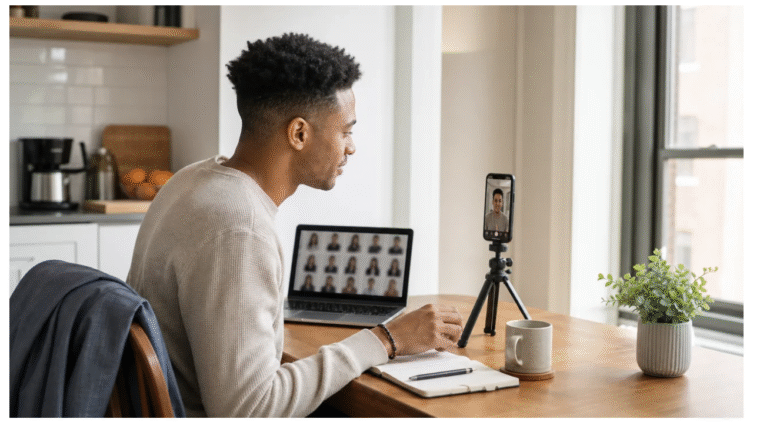
The goal is not to look like a different person. The goal is to look like yourself on a good day, in the right context.
Start by deciding what the photo needs to do
One common reason people overspend on photos is that they try to make one picture serve every purpose. A dating app photo, a LinkedIn photo, a resume photo, and an ID-style photo are not the same thing. They may all show your face, but they send different signals.
A dating app photo should feel current and easy to trust. It should show your face clearly, but it also needs a little life around it. A coffee shop, a park, a casual outfit, or a simple activity can say more than a stiff head-and-shoulders image. A work profile photo has a different job. It needs to look steady, clean, and appropriate for the kind of work you do. An ID photo is stricter still: plain background, neutral expression, centered face, and no creative styling.
Before spending money, write down the places where you actually need updated photos. For most people, the list is short: one dating app first photo, one professional headshot, one casual social profile picture, and maybe one ID-style image. Once you know the jobs, you can stop chasing a giant gallery and focus on the few pictures that matter.
Audit what you already have
The cheapest photo refresh starts in your camera roll. Set aside 15 minutes and make three folders: usable now, usable with light editing, and outdated. Be strict. If a photo is more than two years old, heavily filtered, blurry, or taken from a strange angle, it probably does not belong in the first round.
For dating apps, remove any first photo where people have to guess which person is you. Group shots can be useful later in a profile, but they are weak as the opener. Mirror selfies also tend to age badly unless they are unusually clean and well lit. For work profiles, skip vacation photos, party crops, and anything where the background tells the wrong story. You are not trying to look boring. You are trying to remove distractions.
After that first pass, look for gaps. Do you have one clear face photo? Do you have a full-body photo that still looks natural? Do you have a photo that shows a hobby or setting you actually spend time in? Do you have one picture that feels polished enough for professional use? If the answer is no, you now know exactly what to create instead of paying for a broad, unfocused shoot.
Use a simple at-home setup before booking anyone
You do not need a studio to take better source photos. A phone, a window, and a small tripod can solve most of the problem. Put the phone at eye level, face a window without direct harsh sun, and use the timer so your arm is not stretched toward the camera. A plain wall, a tidy kitchen corner, or a quiet outdoor background will usually beat a cluttered bedroom.
If your phone session gives you a few clear source images but your dating profile still feels thin, DatePhotos AI is one option for testing more profile-ready scenes without arranging a full afternoon shoot. Treat it like a way to compare directions: casual, polished, outdoorsy, professional, or whatever actually fits your life. Then keep only the photos that still feel believable next to the ones you took yourself.
Clothing matters more than people think. Pick two or three outfits that already fit your life. For a dating profile, that might mean a clean casual top, a jacket you would wear to dinner, and one outfit tied to a real activity. For a work photo, keep it simple: a blazer, a knit top, a button-down, or whatever matches your industry without looking like a costume. A lint roller can do more for a photo than another editing app.
Take more photos than you think you need. Change the angle slightly. Try sitting and standing. Move the phone a few feet closer, then farther away. Keep your face visible and your expression relaxed. Most people only get awkward because they take three photos, hate all three, and quit. Give yourself 30 or 40 options before judging.
Use AI for variety, not for pretending
AI photo tools are useful when your source photos are decent but your final set lacks variety. They are less useful when the original photos are too dark, too old, or too different from how you look now. If the input is weak, the output will usually feel off, even when it is technically sharp.
The smart move is to choose scenes that are close to your real life. If you never hike, do not make your profile look like a mountain guide’s portfolio. If you rarely wear a suit, do not make every photo formal. Good profile photos should raise the quality of your presentation without creating a version of you that will be hard to recognize in person.
Build a small profile photo capsule
A wardrobe capsule is a small set of clothes that work together. A profile photo capsule works the same way. Instead of collecting random photos, build a tight group that covers the most common online uses.
Start with a clear face photo. This is the image people use to decide whether they recognize you, trust you, or want to keep reading. Next, choose one full-body or half-body image with good posture and natural lighting. Add one photo with a real-life setting, such as a cafe, park, bookstore, gym, kitchen, office, or outdoor walk. Then add one professional-looking image for work profiles. Finally, keep one casual social photo that feels relaxed but still current.
This small set gives you enough range without making your online presence feel scattered. It also helps you avoid the mistake of uploading 10 photos that all look like they came from different years, different cameras, and different versions of your life.
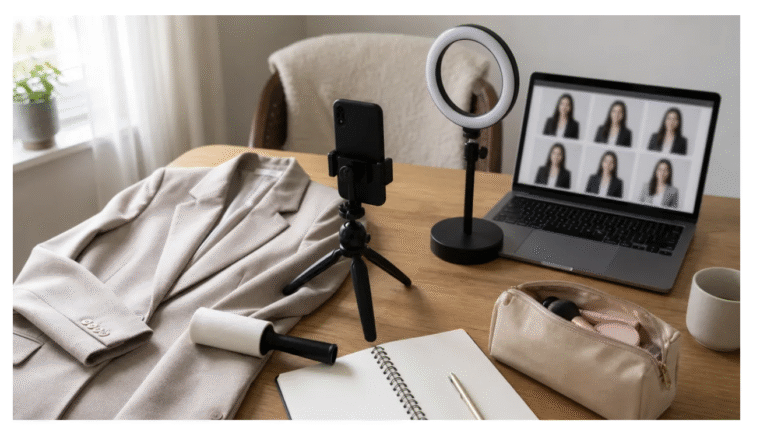
Give the work photo its own treatment
A dating photo and a work photo should not be twins. The best dating image can be warm, active, and personal. The best LinkedIn or resume image is usually quieter. It should not fight for attention. It should simply make you look current, prepared, and easy to identify.
If you already have one clear selfie, a free AI headshot generator can be a practical first step before paying for a studio session. DatePhotos AI’s headshot page supports LinkedIn, resume, passport, and ID-style use cases from one selfie, with 22 professional styles and 2 free generations per account. That is enough to test whether a simple AI headshot solves your immediate need.
Keep official documents separate, though. Passport and government ID photos can have strict rules for size, background, expression, and cropping. If you use an AI-generated image for an ID-style purpose, check the exact requirements before submitting it. A photo can look clean and still fail a government spec.
Make the final set look believable
The easiest way to spot a bad photo refresh is inconsistency. One picture shows short hair, another shows long hair. One looks like a studio ad, another looks like a blurry screenshot. One has glasses, the next does not, and the face shape changes slightly. Even if every photo looks fine on its own, the set does not feel trustworthy.
Before uploading anything, view the photos together. Do they look like the same person in the same season of life? Do the outfits make sense for you? Are the backgrounds believable? Would someone who meets you next week feel that your photos were fair? Those questions matter more than whether every image is technically impressive.
For dating apps, mix polished photos with ordinary ones. A perfect lineup can feel less real than a balanced lineup. For work profiles, use one clean headshot and keep the rest of your profile consistent: name, headline, bio, resume, portfolio, and email signature. A good photo helps, but it cannot carry a messy profile by itself.
Spend in the right order
If you are trying to stay budget-conscious, start with the free fixes. Delete weak photos. Crop distractions. Retake source selfies in better light. Clean up the background. Choose clothes that fit and do not wrinkle easily. These changes cost almost nothing and often improve the final result more than paid editing.
Next, spend only where the return is clear. A small tripod can help you take sharper photos. A simple light can help if your home is dark. AI tools can give you variety when you lack locations, outfits, or time. A photographer becomes worth considering when the photos are tied to a bigger business need, such as a company website, a personal brand launch, speaking profile, or a set of team portraits.
There is no prize for using the most expensive option first. The best budget strategy is to solve the smallest version of the problem, test the results, and only spend more if there is still a gap.
Refresh everywhere at the same time
Once you have a final set, update your main profiles in one sitting. Dating apps, LinkedIn, resume files, personal websites, email avatars, freelance marketplaces, and social bios often get out of sync because people update one and forget the rest. That mismatch can make your online presence feel older than it is.
Save the final images in a folder with clear names. Keep the original source photos too, especially if you may want to generate another version later. Do not upload every good photo at once. Pick the strongest one for each purpose and hold a few back for future updates.
A useful photo refresh should make your profiles feel current, not expensive. Start with what you have, fix the basics, use tools carefully, and spend only when the free or low-cost version cannot do the job. That is usually enough to look more polished online without turning a simple update into a full production.
