
Moneysavingexpert publishes its first guide to saving money on PC games
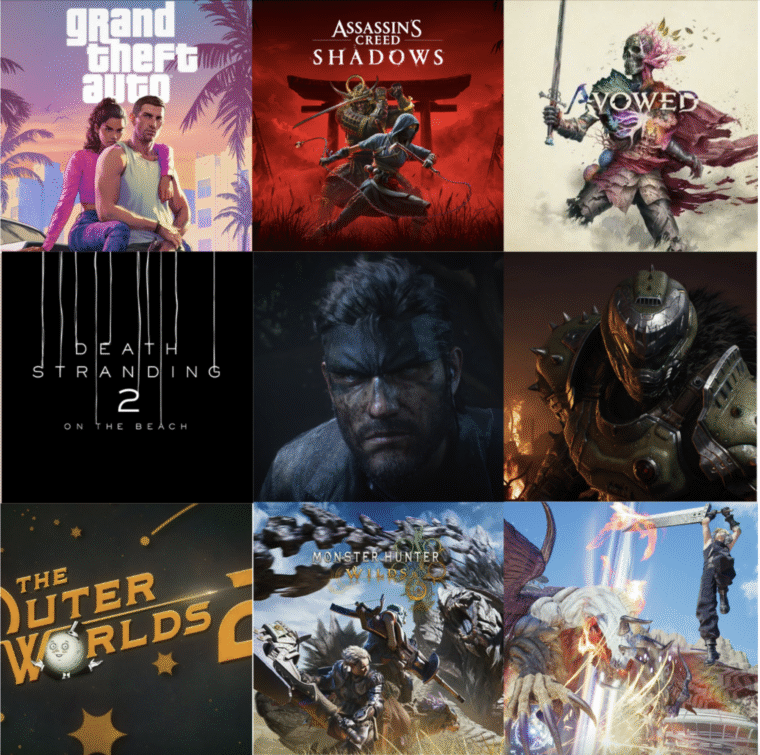
Moneysavingexpert has published its first comprehensive guide on how to buy PC games for less. The guide covers legitimate storefronts, a three-year Steam sale calendar, price-tracking tools, subscription services, and warnings about the risks of grey-market marketplaces. It is aimed exclusively at PC gamers and does not cover console platforms.
After reading this guide, you’ll know where to buy games legitimately, how to catch the best prices, and where cutting corners simply isn’t worth it.
Why PC offers the most savings opportunities
The PC remains the platform with the largest game library. Indie titles, strategy games, and classics ranging from Doom95 to the latest releases like DOOM: The Dark Ages make up a catalogue no console can match. On top of that, Sony and Microsoft have been increasingly bringing former PlayStation and Xbox exclusives to PC in recent years.
Competition among dozens of digital storefronts drives constant bargain hunting. Each storefront sets its own prices and runs its own promotions, meaning the chance of finding a discount on PC is significantly higher than within closed console ecosystems.
Legitimate Steam alternatives that are often cheaper
Even if you want a game on Steam specifically, you don’t have to buy it directly from Steam. Keys can be purchased from legitimate third-party key sellers who receive codes directly from publishers and official distributors.
Trusted third-party key sellers
Green Man Gaming, Fanatical, and Humble stand out among these storefronts. All of them work directly with publishers and offer a legitimate alternative to Steam’s prices.
Publisher stores and standalone launchers
GOG (DRM free), Ubisoft Connect, Xbox, Blizzard.net, Epic Games Store, and EA Play occupy their own niche. However, there is a trade-off. You’ll need to launch games through the publishers’ own apps, losing Steam conveniences such as Workshop, Family Sharing, Remote Play, and other features.
Before every Steam purchase, it’s worth checking prices at legitimate third-party key sellers and publisher stores, as the difference can sometimes be quite significant.
Steam sales remain the main discount calendar
In addition to themed promotions tied to genres or publishers, Steam runs regular seasonal sales whose dates are known well in advance.
Steam sale calendar for 2026
- Spring: 19–26 March
- Summer: 25 June – 9 July
- Autumn: 1–8 October
- Halloween: 26 October – 2 November
- Winter: 17 December – 4 January (2027)
It’s worth adding these dates to your personal calendar and planning major purchases around these seasonal windows.
Two practical tools for tracking prices
From the question of “when will there be sales” it makes sense to move on to “how do I not miss the best price.” Two services with different mechanics can help here.
IsThereAnyDeal compares deals for you
This aggregator collects prices across all legitimate digital storefronts, shows price history, and tracks how frequently discounts appear. You set a target — a specific price, a percentage off, or an all-time low — add the game to your waitlist, and receive a notification when the target is hit. The service also tells you whether a game is included in a bundle, subscription, or giveaway.
HotUKDeals and the power of community heat
On HotUKDeals, users post great deals and the community votes on them. The higher the community heat, the better the deal. You can set up filters and alerts for PC and Steam. A threshold of 100° is considered a good balance between a deal’s popularity and your chances of still being able to take advantage of it.
The optimal savings strategy is straightforward: add the games you want to tracking on IsThereAnyDeal and back them up with alerts on HotUKDeals.
PC Game Pass as a targeted savings tool
Game Pass works on a “Netflix for games” principle: a monthly subscription unlocks access to a library of titles. On PC, day-one releases are included, making the subscription especially attractive for players who want to play new games as soon as they launch.
Game Pass tiers
Essential
- Price: £6.99/month
- Approximate number of games: 50+
- Day-one releases: no
- Cloud gaming: no
- Discounts: yes
- Console access: no
- Rewards: up to 25,000 (≈ £25)
PC
- Price: £10.99/month
- Approximate number of games: 400+
- Day-one releases: yes
- Cloud gaming: no
- Discounts: yes
- Console access: no
- Rewards: up to 50,000 (≈ £50)
Premium
- Price: £10.99/month
- Approximate number of games: 200+
- Day-one releases: yes
- Cloud gaming: yes
- Discounts: yes
- Console access: yes (Xbox required)
- Rewards: up to 50,000 (≈ £50)
Ultimate
- Price: £16.99/month
- Approximate number of games: 500+
- Day-one releases: yes
- Cloud gaming: yes (shorter wait times, higher quality)
- Discounts: yes
- Console access: yes (Xbox required)
- Rewards: up to 100,000 (≈ £100)
Publishers and franchises that boost the subscription’s value
Following the acquisition of Activision Blizzard, Bethesda, and Obsidian, Microsoft has assembled an impressive collection of franchises: Diablo, DOOM, Skyrim, Starfield, and Call of Duty. Partnerships with Ubisoft and EA add Far Cry, Assassin’s Creed, EA FC, Battlefield, and other series. There’s also a broad selection of indie and retro titles, including contenders for game of the year 2025: Hollow Knight: Silksong and Clair Obscur: Expedition 33.
How to turn the subscription on and off without overpaying
“Over a year of using Game Pass, I only paid for six months, because I subscribed only when I was actually planning to play. In that time I completed Clair Obscur, Hollow Knight: Silksong, Indiana Jones and the Great Circle, and Doom: The Dark Ages. I spent hours in Call of Duty and tried a bunch of great indie titles I’d never have discovered otherwise. That’s hundreds of pounds saved for a couple of dozen.” — MSE Rob. Meanwhile, Circana analysts are questioning why Game Pass is losing momentum.
If you plan to play one or two big games a month or want to play new releases at launch, it’s more cost-effective to subscribe to PC Game Pass for a single month and immediately turn off auto-renewal.
Saving on casino games: low minimum bets and demo versions
The principle of paying only for what you actually use applies beyond Steam and Game Pass. There are also ways to stretch the bankroll for those who enjoy casino games.
The first approach: choose games with low minimum bets from reliable providers. These include Evolution, Pragmatic Play Live, Playtech, and Ezugi. According to this data, Evolution offers live game shows and tables where you can place small bets and stretch the bankroll across long sessions. That said, it’s important to keep your overall budget in check and know when to stop — which isn’t always easy during an engaging session.
The second approach: play for virtual money in demo versions. This is free practice that is especially useful for beginners.
Just as with PC product keys, savings here only work under one condition: the platform and provider must be trustworthy, otherwise any advantage quickly turns into losses. And of course, it’s important not to get too caught up in the gameplay.
Unauthorised resellers can cost you more than any discount saves
Platforms such as Eneba, G2A, K4G, and Kinguin are not authorised sellers. The activation codes listed on them are put up by individual users, not publishers. Buying from these sites is not technically illegal, but it carries real risks.
Key risks of grey-market keys and accounts
- A key can be revoked without warning if it is linked to fraud — for example, if it was purchased with a stolen bank card
- Instead of a key, you may receive an account with the game rather than a separate activation code
- Buying and using someone else’s accounts violates the Steam Subscriber Agreement
Savings guides for other platforms
For console players, Moneysavingexpert has separate guides on finding discounts for PlayStation 5, Nintendo Switch 2, and Xbox.
